Today's jobs, floorplans and asset history were downloaded at 6:45 am, so they work without reception.
Harbour View Offices
Keys at building management, level 1. Loading dock via Lane St. Sign in at concierge.
Morgan Ellis
Facility manager
Add a floorplan
Photograph the evacuation diagram
Usually by the lifts or stairs. We'll straighten it.
Upload a PDF or image
From the client, or the office uploads it later
No plan: list assets only
You can add a plan any time
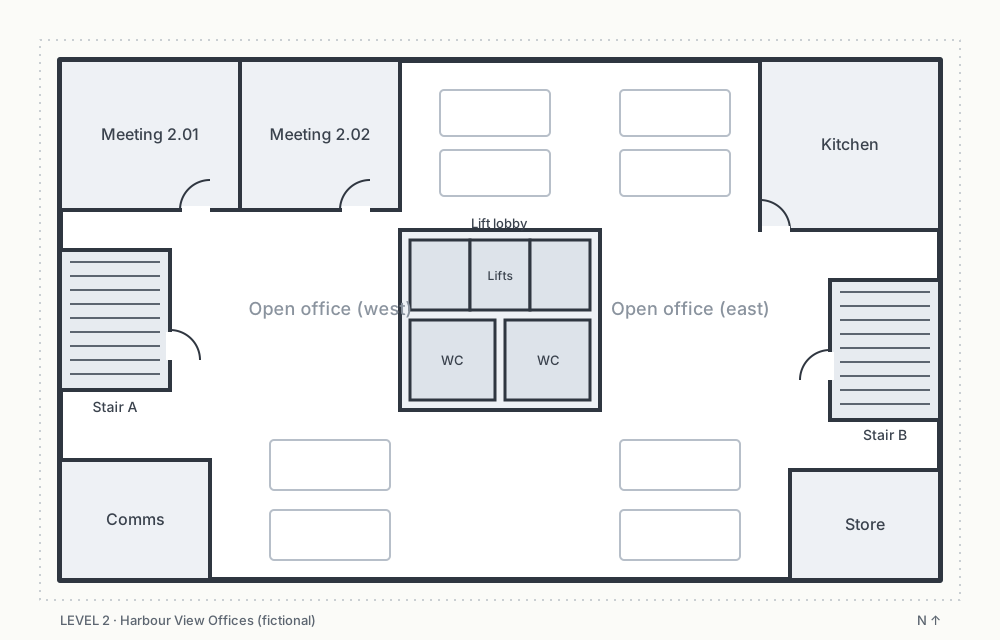
Harbour View Offices
Nice work
Assets mapped and tagged
The office checks the asset register
Priced from the surveyed asset counts
AS 1851 routines generated for every asset
Site survey
This is the technician's first visit to a new site. They add a floorplan for each level, drop a pin for every asset, scan a pre-printed sticker onto it, and log any defects they find. It all works offline.
- Tap the Harbour View Offices job, then Level 2.
- Choose Photograph the evacuation diagram, then Use this plan.
- Tap the plan, pick Portable extinguisher, enter a location, then Scan sticker and Save.
- In the toast, tap Add another like this. The next pin only needs a location and a scan.
- Go offline (below) and keep adding. Then come back online and watch it sync.
- Finish survey and submit it for office review.
- On the summary, tap Quote … defects now. Adjust the items, then send it. Open the office quotes page to see it arrive.
The phone, tablet and desktop pages share the same survey data. Place a pin here, then open the desktop page and it's there (this simulates sync).
SV-1 to SV-7 (survey mode, quick-repeat, sticker binding, location hierarchy, defects, office review) · FP-1, FP-2, FP-3, FP-4, FP-5 (plans, pins, offline) · TG-1 to TG-5, TG-7 (scan, bind, duplicates, manual entry) · MS-1, MS-2 (offline-first, sync status).
Tagged asset Needs a sticker Defect logged